onemcp-logo-new
Documentation
Get Pro
Blog
Home » Release  »  Announcing OneMCP v1.0.0: The Ultimate WordPress Plugin for Seamless AI Integration via Model Context Protocol
Announcing OneMCP v1.0.0: The Ultimate WordPress Plugin for Seamless AI Integration via Model Context Protocol

We are thrilled to announce the official launch of OneMCP v1.0.0, a revolutionary WordPress plugin designed to bridge the gap between your self-hosted WordPress website and modern AI assistants using the Model Context Protocol (MCP).

As AI tools and Large Language Models (LLMs) become deeply embedded into our daily workflows, managing websites shouldn't mean constantly switching contexts between your WordPress dashboard and external AI chats. With OneMCP, your AI client can securely understand, analyze, and safely interact with your WordPress site directly.
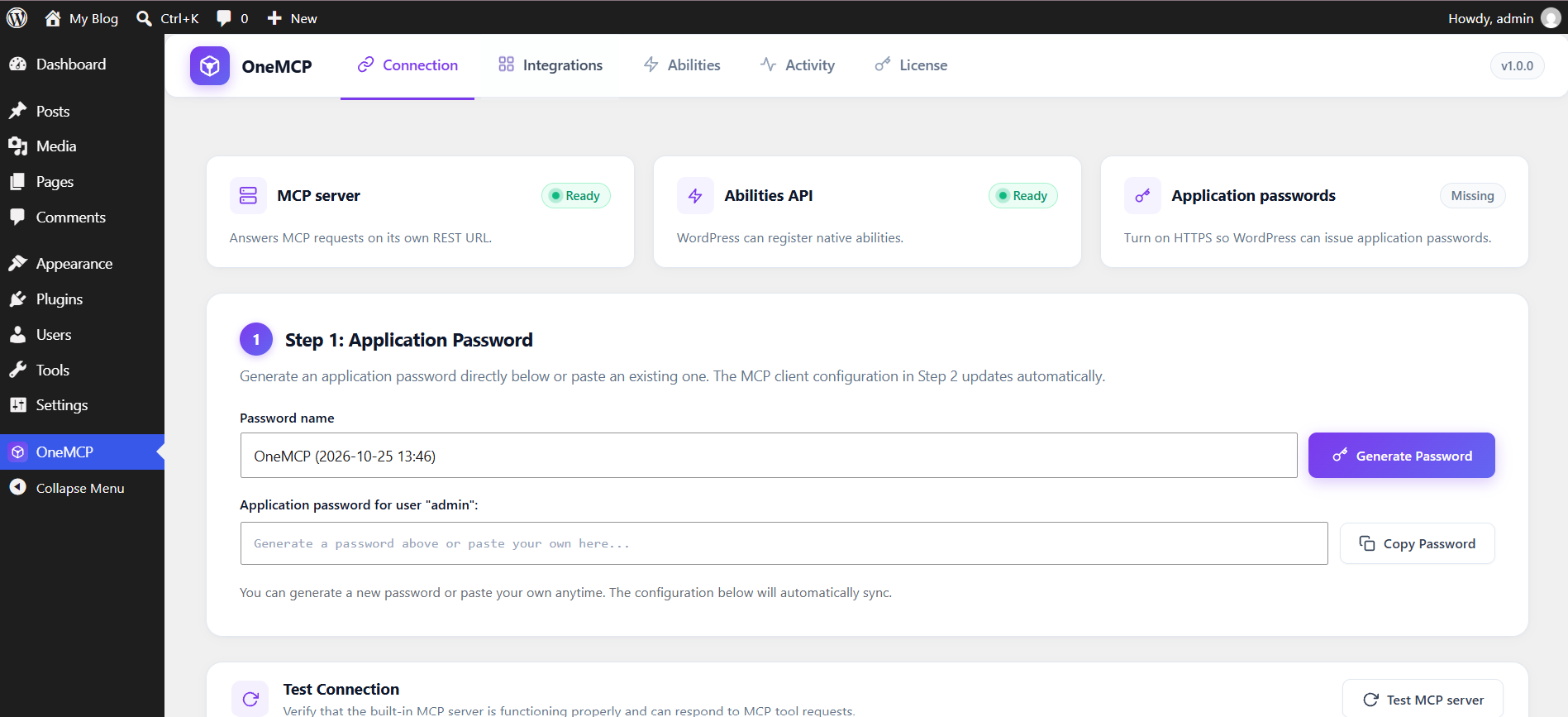
onemcp-connection-auth

What is OneMCP?

OneMCP acts as a secure, high-performance MCP server built right into your WordPress REST API. It exposes controlled, permission-based tools that allow AI clients—such as Claude Desktop, Cursor, VS Code, Antigravity, OpenCode, Grok, and Gemini CLI—to query site information, list content, manage posts, and handle administrative operations seamlessly.

Whether you are a developer managing multiple client sites or a content creator looking to supercharge your workflow with AI assistance, OneMCP brings powerful automation right to your fingertips.

Key Features of OneMCP

  • Seamless AI Client Integration: Out-of-the-box configuration snippets and commands for popular AI developer environments and desktop applications including Claude Desktop, Cursor, VS Code, Antigravity, OpenCode, Grok, Gemini CLI, and custom HTTP clients.
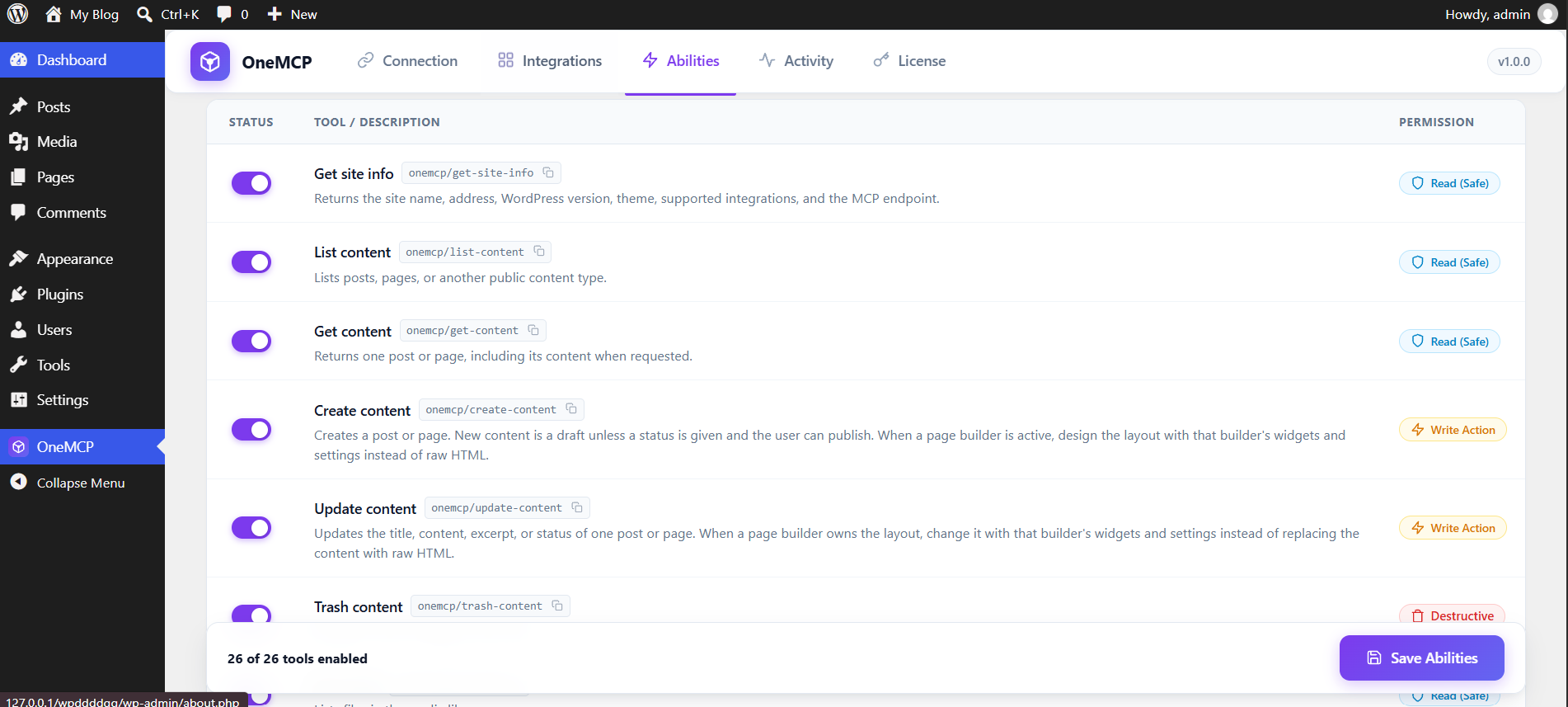
  • Granular Abilities & Permissions Manager: Total control over what your AI can do. Toggle 26+ built-in tools across Read (Safe), Write Action, and Destructive permissions with a single click.
  • Secure Authentication: Connects directly to your self-hosted WordPress site using standard WordPress Application Passwords with Basic HTTP headers.
  • Real-Time Activity Monitoring: Track and audit requests coming through your MCP endpoint to maintain full visibility over your AI interactions
  • Lightweight & Developer-Friendly: Built cleanly within the WordPress ecosystem with zero unnecessary bloat, ensuring optimal site performance and response times.

Supported AI Clients & Easy Setup

Getting started takes less than a minute. OneMCP provides a dedicated Connection tab with copy-and-paste configuration JSON blocks tailored for your favorite tool:   
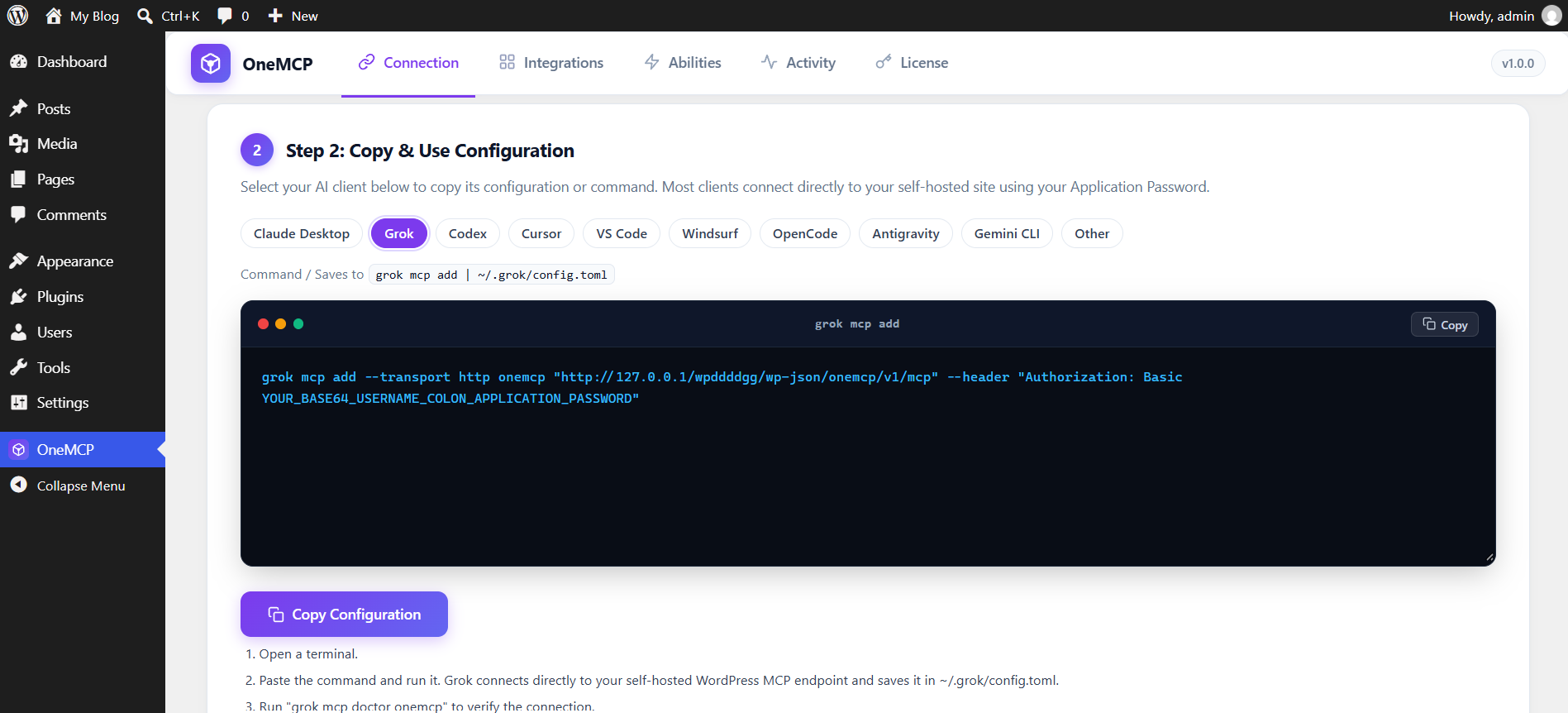
  • Claude Desktop: Configure via claude_desktop_config.json using npx or remote HTTP transport.
  • Cursor & VS Code: Instantly integrate into .cursor/mcp.json or .vscode/mcp.json.
  • Antigravity & OpenCode: Streamlined JSON profiles ready for your workspace configuration files.
  • Grok & Gemini CLI: Command-line additions and settings JSON templates to get you running from your terminal instantly.
client-grok
abilities-manager-permissions

Features

  • Free Core WordPress Capabilities: Includes essential site management tools—such as inspecting site info, plugins, themes, and users; creating, updating, and trashing posts and pages; managing the media library and adding files from URLs; organizing categories, tags, and custom terms; moderating comments; handling custom fields (meta); and building navigation menus.

Pro Features

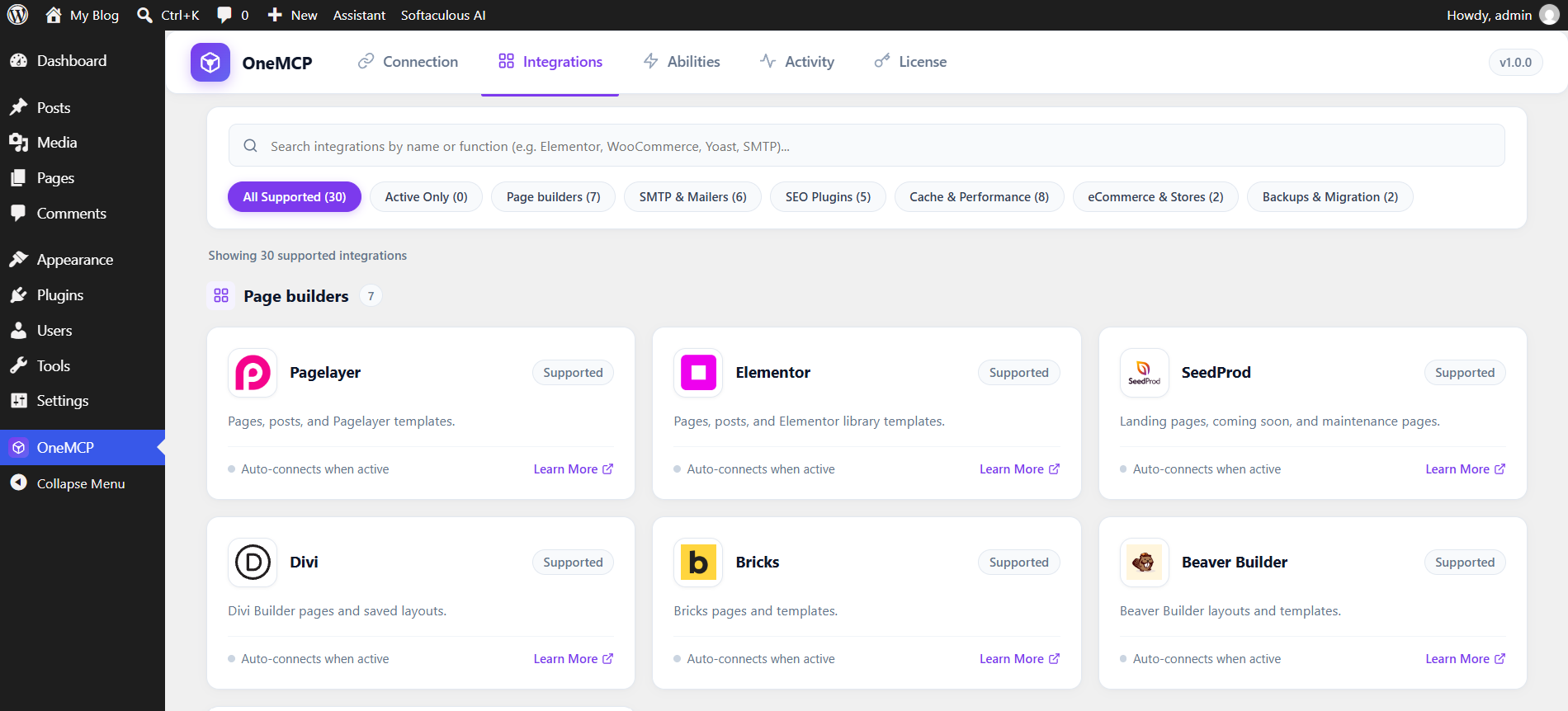
  • Page Builder Integration – Seamlessly connect and manage layouts with popular page builders including PageLayer, Elementor, SeedProd, Divi, Bricks, Beaver Builder and Breakdance.
  • SEO Optimization – Optimize your site content and metadata using top SEO tools including SiteSEO, Yoast SEO, Rank Math, All in One SEO, and SEOPress
  • Caching & Performance – Supercharge site speed and manage caching configurations with performance plugins including SpeedyCache, LiteSpeed Cache, WP Rocket, WP Super Cache, W3 Total Cache, WP Fastest Cache, WP-Optimize, and SiteGround Optimizer.
  • Store Management – Handle products, checkouts, and digital downloads effortlessly with e-commerce platforms like WooCommerce and Easy Digital Downloads.
  • SMTP & Email Delivery – Configure and monitor transactional email delivery reliably using GoSMTP, WP Mail SMTP, FluentSMTP, Easy WP SMTP, Post SMTP, and SMTP Mailer.
  • Backups & Disaster Recovery – Trigger automated site backups and secure data migrations using backup solutions like Backuply and Duplicator.
integration

OneMCP Pro is included for free with the Softaculous Premium license.

To connect AI tools with your WordPress website and manage your site using MCP, download the free version of OneMCP or get more information here.

We are continuously working on improvements and exciting new features for upcoming releases. Stay tuned!

Regards,

OneMCP Team

Newsletter Subscription
Subscribing you to the mailing list